Conecta ChatGPT to Boost Your Productivity by Integrating It with Your Apps Using Composio
· based on the channel DataEdu
Connecting ChatGPT with your existing applications using Composio enhances your workflow by enabling AI-powered automation and data integration. Composio acts as a bridge between AI assistants like ChatGPT, Claude, and Manus IA and the apps you already use, allowing you to perform actions directly within your familiar environments. To get started, you can explore the free resources such as the Storytelling Book from DataEdu that helps translate data insights into clear stories.
What Is Composio and How It Connects ChatGPT to Your Apps
Composio is a platform designed to integrate AI assistants with various applications through two main types of connectors: native and external. Native connectors are built-in links that seamlessly attach AI tools to popular apps, while external connectors require additional setup but expand compatibility. Using Composio, users can authorize accounts like Google Drive to let ChatGPT or Claude access files, perform actions, and manage permissions securely.
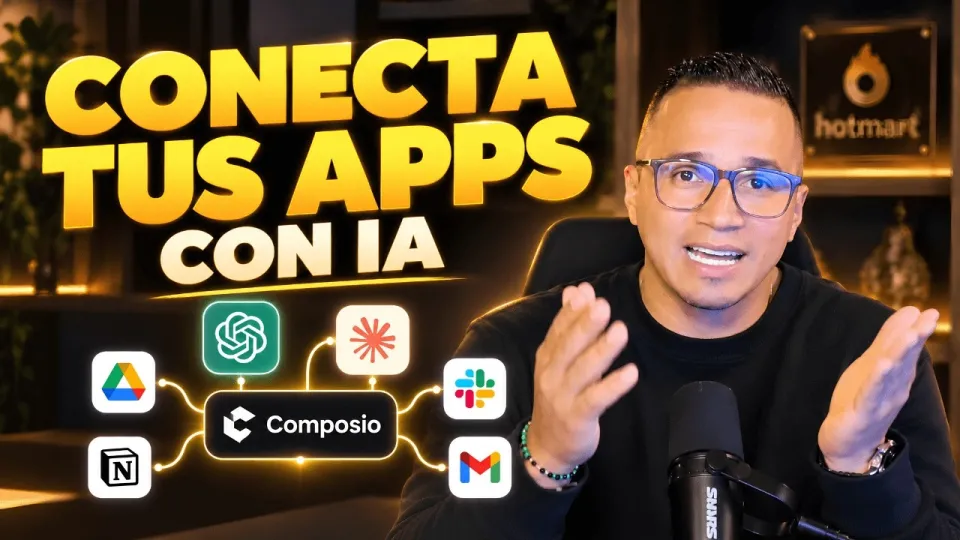
Video: Conecta ChatGPT, Claude y tus apps: así haces más con Composio
Setting Up Google Drive with ChatGPT via Composio
Integrating Google Drive is a practical example of Composio’s capabilities. The process involves:
- Authorizing Composio to access your Google Drive account.
- Selecting the desired actions such as reading, writing, or organizing files.
- Managing the permissions needed to ensure data privacy and security.
This connection enables ChatGPT to retrieve documents, summarize content, or generate new files directly from your drive, streamlining tasks without switching apps.
Extending Integration to Claude, Manus IA, and Other AI Tools
Beyond ChatGPT, Composio supports various AI assistants like Claude and Manus IA, allowing users to apply similar connectors to enhance productivity. Depending on the AI’s integration capabilities, you can automate workflows, generate insights, or perform complex data manipulations across different platforms. This flexibility makes Composio a versatile tool for professionals seeking to leverage AI in their daily work.
Addressing Security Concerns When Connecting AI with Sensitive Data
A common question is the security of integrating AI assistants with sensitive data, especially when connecting to models like Power BI semantic datasets. Composio emphasizes secure authorization processes and granular permission settings to reduce risks. Users should carefully review the permissions requested by connectors and ensure they comply with organizational data policies to maintain confidentiality.
Practical Tips for Maximizing Productivity with ChatGPT and Composio
To make the most of these integrations:
- Define clear objectives for each AI connection to avoid unnecessary data exposure.
- Use connectors that match your workflow needs, whether for document processing, data analysis, or automation.
- Regularly update authorizations and monitor AI actions to ensure compliance and efficiency.
- Explore DataEdu resources for learning advanced Power BI and Excel skills to complement AI usage.
Useful Links
- DataEdu Storytelling Book — Learn to transform dashboards into professional stories
- Excel DataEdu — Master Excel for faster data analysis
- DAX Learning Resource — Advanced data analysis with DAX
- DataEdu Instagram — Connect and learn about Power BI
- DataEdu LinkedIn — Professional networking
Итог
Connecting ChatGPT and other AI assistants to your apps with Composio unlocks powerful automation and productivity enhancements. The platform’s native and external connectors simplify integration with tools like Google Drive, Claude, and Manus IA, enabling streamlined workflows and efficient data management. Security remains a priority through careful authorization and permission controls. For further learning, the DataEdu channel offers valuable resources and tutorials to maximize AI and data analysis skills. Don’t miss the Storytelling Book for mastering data presentation and enhancing your insights.
Key takeaways
- Composio connects AI assistants like ChatGPT and Claude with apps via native and external connectors
- Google Drive integration allows authorization, action customization, and permission management
- Supports multiple AI tools including Manus IA for diverse productivity workflows
- Enables automation and data handling directly from familiar apps
- Focuses on safe and efficient AI connection without compromising sensitive data
Questions & answers
Is it safe to connect Composio to sensitive data sources like Power BI semantic models?
Composio uses secure authorization and permission management to protect your sensitive data. However, it's important to carefully review and control the permissions granted to ensure compliance with your organization's data policies.
What types of connectors does Composio offer for integrating AI assistants?
Composio provides native connectors, which are built-in and seamless, and external connectors that require additional setup but allow broader compatibility with various applications.
Can I use Composio to connect AI assistants other than ChatGPT?
Yes, Composio supports multiple AI tools including Claude and Manus IA, enabling you to integrate different AI assistants based on their available integrations for diverse productivity workflows.
What kind of actions can ChatGPT perform when connected to Google Drive through Composio?
Once authorized, ChatGPT can read, write, organize, and manage files in Google Drive, allowing automated document processing, content summarization, and file creation directly within your workflow.
Source: Conecta ChatGPT, Claude y tus apps: así haces más con Composio · Markdown version